
Appearance
Installation
Installing GuideSail on Your App
Before your users can see any guides, you need to add GuideSail to your app. This is a one-time setup — once it's in, all guides you publish will work automatically.
What you'll need
- Your API key — found in your GuideSail dashboard at getguidesail.com/dashboard/import.
- A visitor ID (optional) — a unique identifier for each of your users (e.g. their user ID from your database). Used to track once-only guides and analytics. If omitted, GuideSail assigns an anonymous ID automatically.
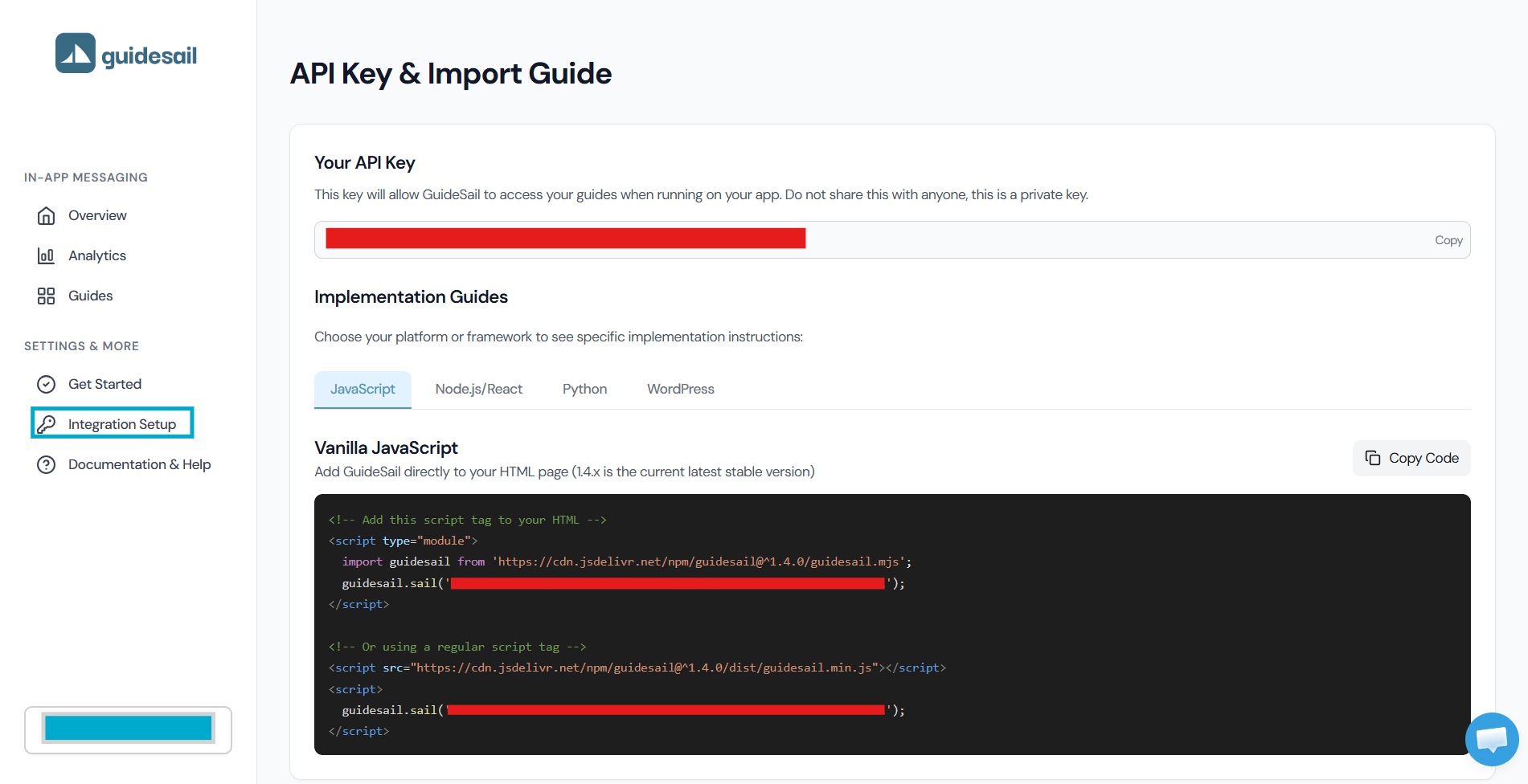
Option A — npm package (recommended)
Install the package:
sh
npm install guidesailThen initialize it in your app:
js
import guidesail from 'guidesail';

guidesail.sail('YOUR_API_KEY');
Option B — ES module via jsDelivr
If you prefer a CDN import, add the stylesheet and module script to your app's HTML:
html
<link rel="stylesheet" href="https://cdn.jsdelivr.net/npm/guidesail@1/guidesail.css" />

<script type="module">
  import guidesail from "https://cdn.jsdelivr.net/npm/guidesail@1/+esm";
  guidesail.sail("YOUR_API_KEY");
</script>
Replace YOUR_API_KEY with the key from your dashboard at getguidesail.com/dashboard/import.
Setting the visitor ID
Pass your logged-in user's ID as the second argument so GuideSail can track once-only guides per user:
js
guidesail.sail('YOUR_API_KEY', 'user-123');If you need to set or clear the visitor after the page loads (e.g. after login/logout):
js
guidesail.setVisitor('user-123');  // after login
guidesail.unsetVisitor();          // after logout
Verifying the installation
Open the browser console on your page and look for a message that says "GuideSail is active". If you see it, the install worked.
How to open the console:
- Keyboard shortcut: Press
F12on Windows, orCmd + Option + Jon Mac. This opens the console directly. - Right-click method: Right-click anywhere on your page → click Inspect → click the Console tab at the top of the panel that opens.
You can also visit a page with a published automatic guide — it should appear within a few seconds.
If a guide doesn't appear, see [[../Support/Troubleshooting]].